Guide
Day to dusk (interior)
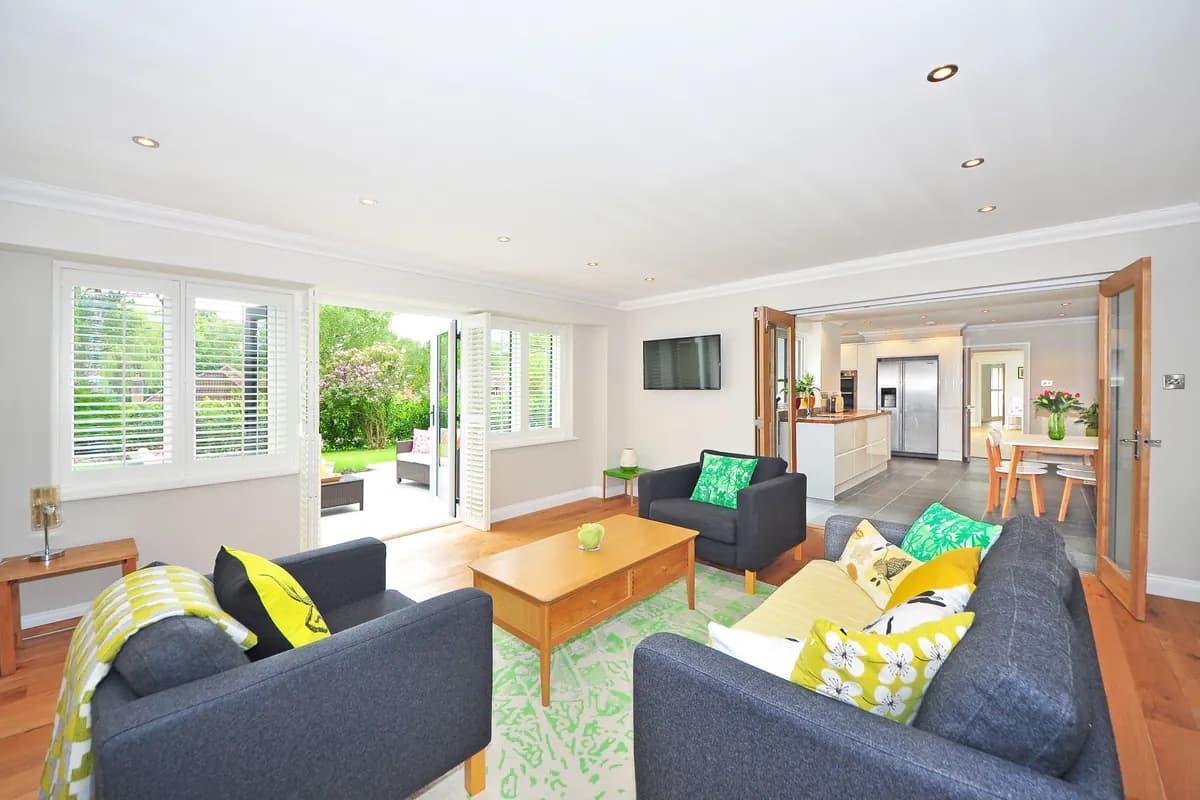
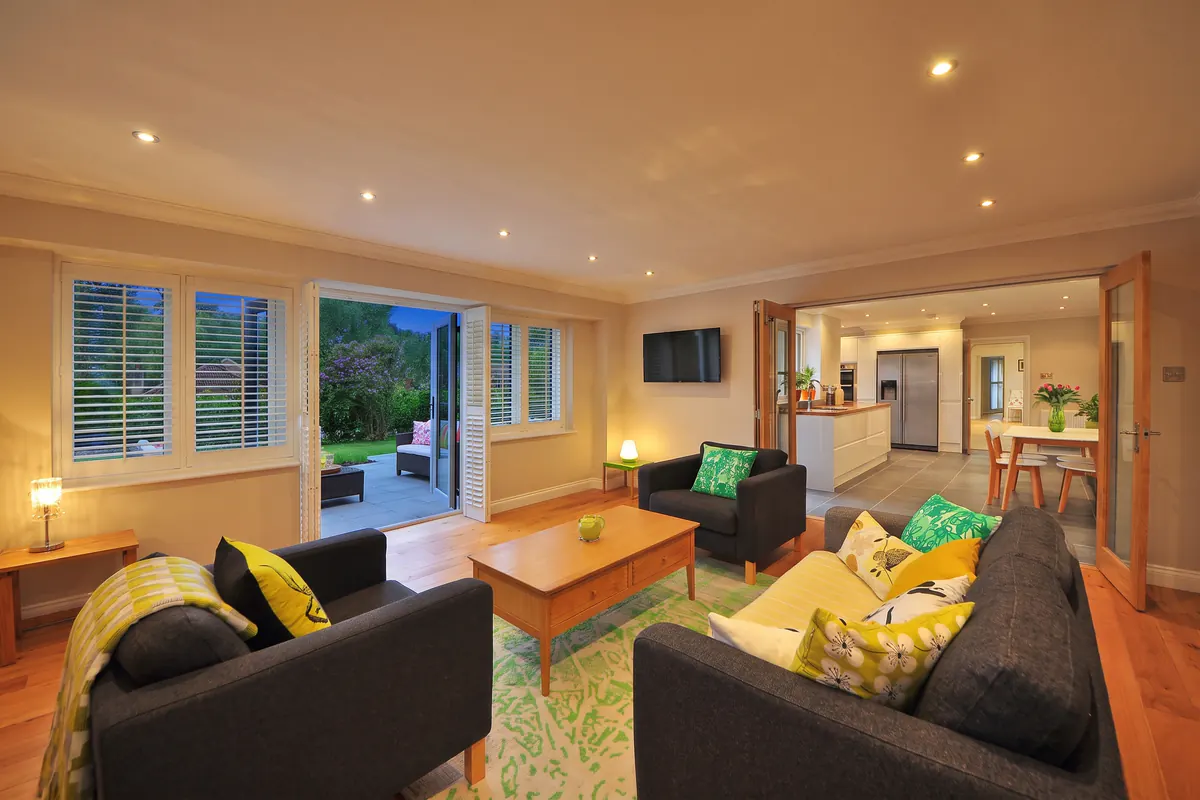
Relight a daytime photo of a room as a dusk, evening or night shot.
Day to dusk relights a daytime photo of a room for the hour you pick: the sky in the windows turns, and from dusk on the lamps, ceiling fixtures and accent lights already in the photo come on. Furniture, finishes and the layout stay as photographed. It gives a listing, a hotel room or a short-let an evening image without a second shoot at the right hour.
This tool is built for interiors and treats every photo as a room. For a building's exterior —
a facade, a garden, a pool — use day to dusk for exteriors
(day-to-dusk-exterior).
Options
| Option | Type | Values | Default | Required | Description |
|---|---|---|---|---|---|
timeShift | integer | 0–23 | 20 | optional | Target hour of day. 20 is the dusk look most listings want. |
viewType | string | noneplain-whitecity-skylineforestmountainoceangardenlakecountryside | none | optional | What to render beyond the windows. none keeps the existing view. |
season | string | nonespringsummerautumnwinter | none | optional | Seasonal state of a scene rendered with viewType (city-skyline, forest, mountain, ocean, garden, lake, countryside). Ignored for none and plain-white, so the real view through the windows is never re-dressed. |
hasWindows | boolean | — | true | optional | Whether the photo contains windows. Set false for windowless rooms — window/sky/view language is dropped from the conversion so no artificial windows are invented, and viewType and season are ignored. |
Every option has a default, so an empty options object gives a dusk shot (20:00) of a room
with windows, keeping the real view. Send options only when you need something other than that.
Example
{
  "tool": "day-to-dusk",
  "image_url": "https://example.com/living-room-noon.jpg",
  "options": {
    "timeShift": 20,
    "hasWindows": true,
    "viewType": "none",
    "season": "none"
  }
}
Tuning the result
timeShift is the target hour on a 24-hour clock, from 0 to 23. The default of 20 is the
dusk look most listings want: the room's lights are on and the sky in the windows still has
colour. Lower values move toward golden hour and afternoon, with warm sunlight falling across
the floor and walls; higher values move toward night, where the room's own lights carry the
image.
hasWindows defaults to true. Set it to false for a room without windows — a bathroom, an
inner hallway, a basement: the hour is then expressed through the room's own light alone,
nothing is said about windows or sky so none are invented, and viewType and season are
ignored.
viewType controls what is seen through the windows, and defaults to none, which keeps the
real view and only re-lights it for the hour. Use it when the real view works against the
photo — plain-white to remove a distraction, or a scene such as ocean or city-skyline
where that matches the property.
season defaults to none. It dresses only a scene you render with viewType — autumn trees
in a forest view, snow on a mountain range. With none or plain-white it is ignored, so the
real view through the windows is never re-dressed.
With tier: "custom", customPrompt adds your own direction to the conversion — warmer
lamplight, a moodier evening. It is applied through light and atmosphere only; it is not a way
to move, add, remove or restyle anything in the room.
Be careful what you change
viewType and season change what the photo claims about the property. Rendering an ocean
view onto a room that does not have one may breach the advertising rules you market under.
Change the light freely; change the facts deliberately.
Next steps
- Day to dusk (exterior) — the same conversion for a building's exterior.
- Tools — the rest of the documented tools and the common options.
- Quickstart — send this request end to end.