Guide
Day to dusk (exterior)
Relight a daytime photo of a building's exterior as a golden-hour, dusk or night shot.
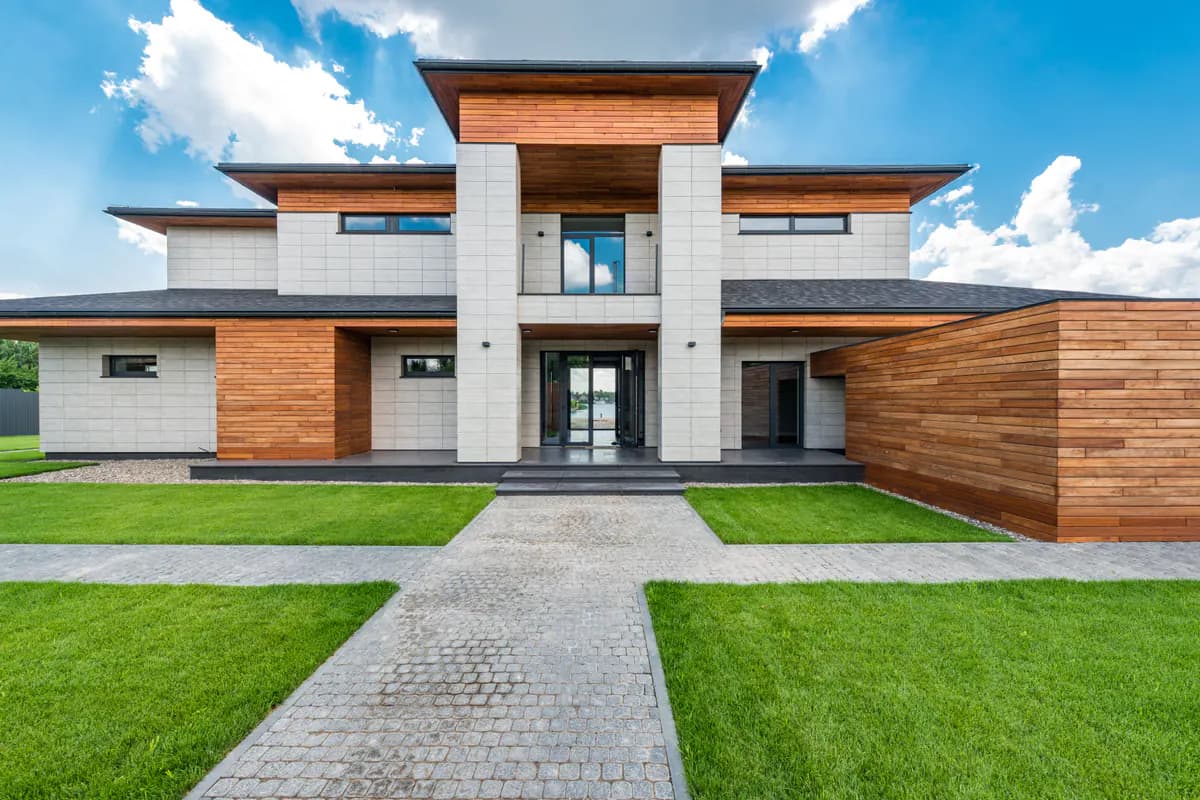
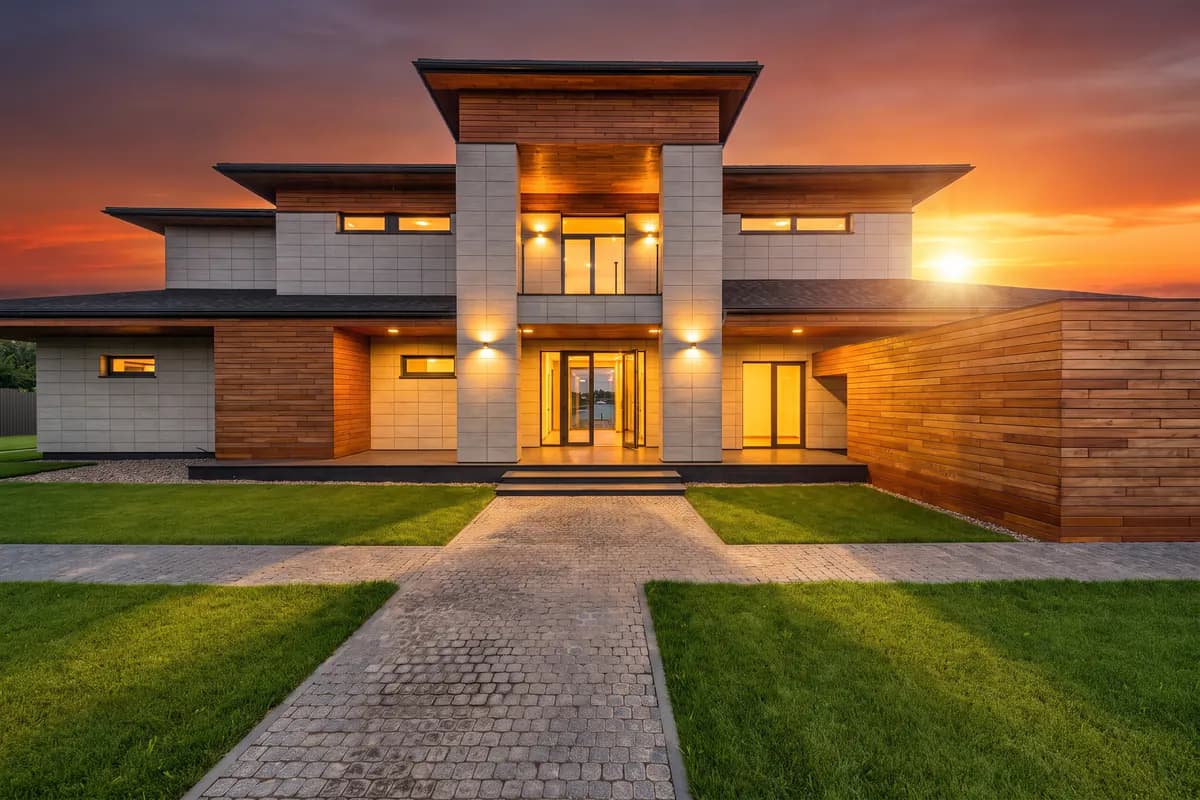
Day to dusk for exteriors relights a daytime photo of a building — a facade, a back garden, a pool deck — for the hour you pick: the sky turns, the light comes in at that hour's angle and colour, and after sunset the lights already on the building glow. The facade, the planting, vehicles and the composition stay as photographed. It saves a second visit at the right hour — useful for listing photography, and for hotels, short-let operators and architects who need an evening hero image without waiting for one.
For a photo taken inside a room, use day to dusk (day-to-dusk),
which handles windows, the view through them and the room's own lights.
Options
| Option | Type | Values | Default | Required | Description |
|---|---|---|---|---|---|
timeShift | integer | 0–23 | 20 | optional | Target hour of day. 20 is the dusk look most listings want. |
season | string | nonespringsummerautumnwinter | none | optional | Season of the trees and planting in the photo. none keeps them as photographed; another value asks for that season's foliage and light (autumn colours, bare winter branches). |
Every option has a default, so an empty options object gives the dusk look most listings
want (20:00), with the planting as photographed.
Example
{
  "tool": "day-to-dusk-exterior",
  "image_url": "https://example.com/house-exterior-noon.jpg",
  "options": {
    "timeShift": 20,
    "season": "none"
  }
}
Tuning the result
timeShift is the target hour on a 24-hour clock, from 0 to 23. The default of 20 is the
dusk look most listings want — the sky has colour but the building is still readable. 17 and
18 give golden hour, with long warm shadows; 21 and later move toward night, where the
facade goes dark and its lights carry the image. Earlier hours relight the scene for dawn,
morning or midday instead.
season defaults to none, which keeps the trees and planting as photographed. Another value
asks for that season's foliage and light — autumn colours, bare winter branches.
In the default guided tier, a vision model first looks at the photo and writes the lighting
instruction for that composition — it describes the sky only when the sky is in the frame. If
that step fails, built-in instructions for the chosen hour are used instead. tier: "auto"
and tier: "custom" skip it. With custom, customPrompt adds your own direction — a softer
sky, a warmer mood — applied through light, sky and atmosphere only; it is not a way to move,
add, remove or restyle anything on the property.
Be careful what you change
season changes what the photo claims about the property: autumn colours on a garden
photographed in spring, or snow that was never there. Change the light freely; change the facts
deliberately.
Next steps
- Day to dusk (interior) — the same conversion for a room.
- Tools — the rest of the documented tools and the common options.
- Quickstart — send this request end to end.