Guide
Empty your space
Take the furniture and belongings out of a room and show it empty, as built.
Empty your space takes the movable contents out of a photo — furniture, rugs, lamps, boxes, pictures, curtains, personal belongings — and leaves the space as it was built: walls, floor, ceiling, doors, windows, built-in storage and the fixtures that belong to the building. Agents use it to show an occupied home as it will be handed over, and it serves just as well for a landlord between tenants, a shop fit-out or a terrace before it is furnished.
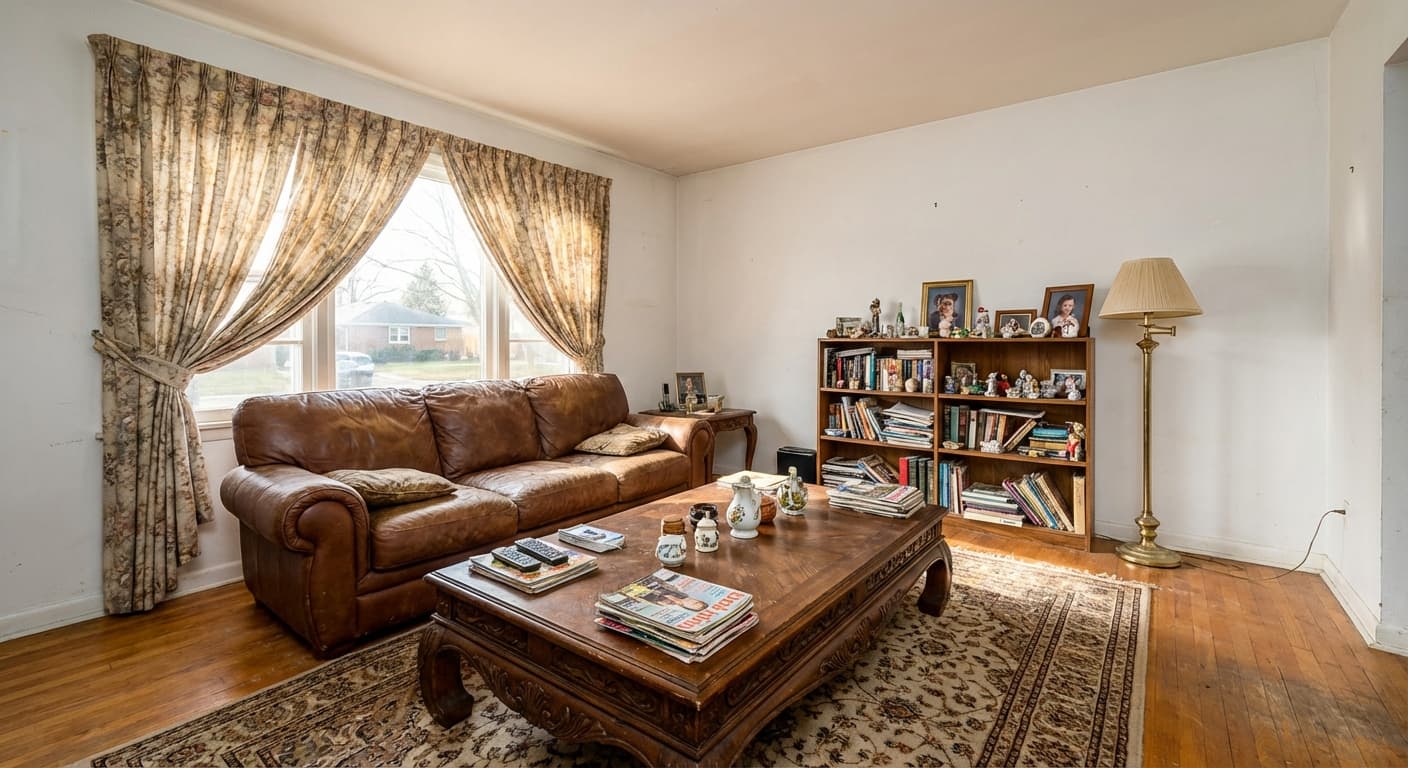
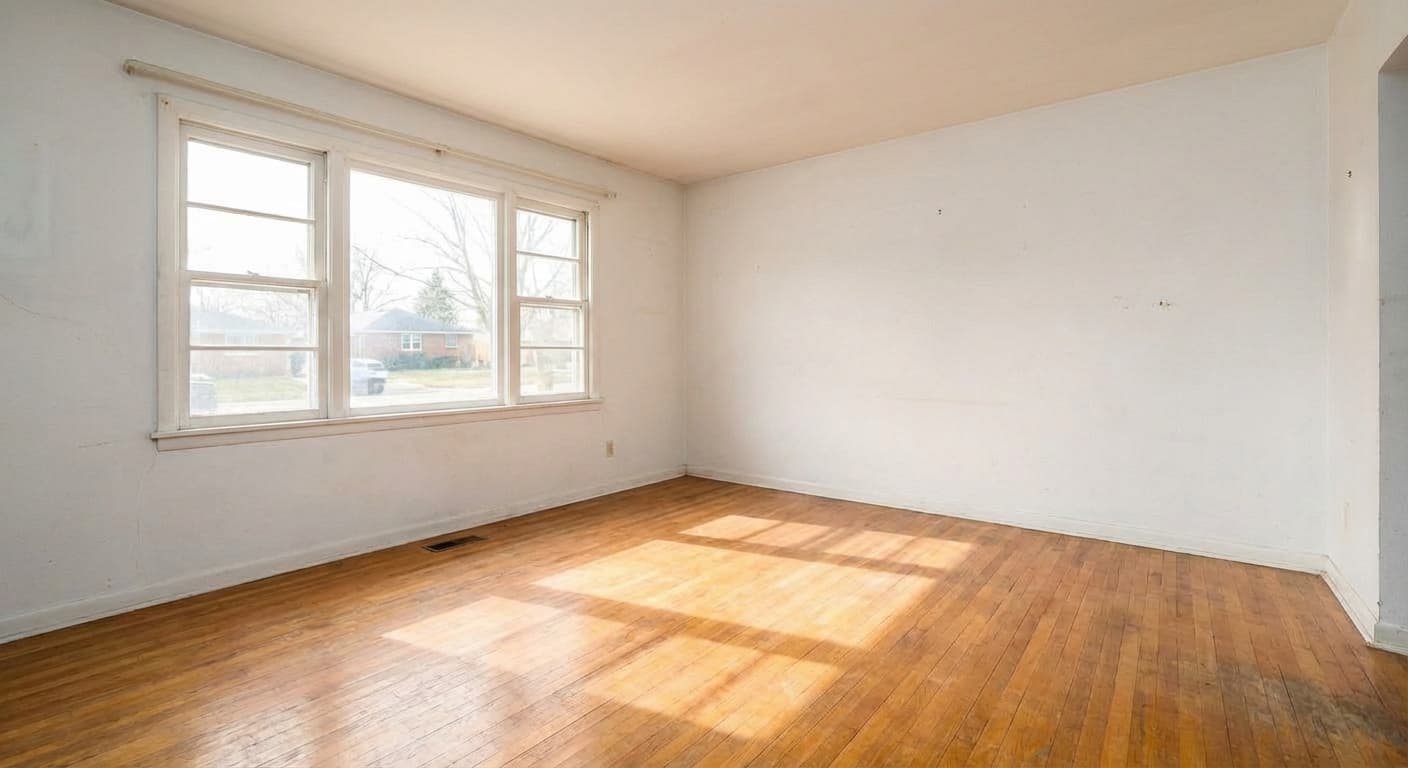
empty-your-space1 image per renderno custom prompt — customPrompt is ignored
Options
| Option | Type | Values | Default | Required | Description |
|---|---|---|---|---|---|
spaceType | string | roomkitchenbathroomutilityoutdoorcommercial | — | optional | What kind of space the photo shows. It decides what counts as fixed: a kitchen keeps its units and appliances, a utility room its washing machine and boiler, an outdoor space its paving and planting. Omitted, it is taken from roomType, and otherwise |
roomType | string | living-roombedroomdining-roomhome-officestudiokitchenbathroomlaundry-roomnurserykids-roomguest-roombasementatticgaragehallwayentryway | living-room | optional | The older way to say the same thing. Only kitchen, bathroom, laundry-room, garage and basement change the result (they map to their own spaceType); spaceType wins when both are sent. |
Both options are optional, so a request with no options at all empties the photo as a room.
The one that matters is spaceType: it decides what counts as part of the building.
| spaceType | What stays besides the walls, floor, doors and windows |
|---|---|
room | Built-in storage, radiators, vents and fireplaces; in an open-plan space, the kitchen units and appliances |
kitchen | Cabinets, counters, sink, taps, backsplash and appliances — only what stands on them goes |
bathroom | Toilet, basin, vanity, bath, shower, taps, tiles, fixed mirrors and towel rails |
utility | Plumbed-in and fixed equipment: washing machine, dryer, boiler, water heater, panels, fixed shelving |
outdoor | Paving, decking, railings, walls, steps, fixed planters, lawn, beds and trees |
commercial | Fixed counters, partitions, built-in displays, fitted shelving and fixed signage |
roomType is the older way to say the same thing and still works: kitchen, bathroom,
laundry-room, garage and basement map to their own kind of space, and every other value
means room. When both are sent, spaceType wins.
Example
{
  "tool": "empty-your-space",
  "image_url": "https://example.com/furnished-living-room.jpg"
}
A kitchen keeps its units and appliances; only what stands on the counters, the open shelves and the floor is taken out:
{
  "tool": "empty-your-space",
  "image_url": "https://example.com/kitchen.jpg",
  "options": {
    "spaceType": "kitchen"
  }
}
What to expect
Where something is taken out, the floor and the wall behind it are continued in the same material and direction, its shadow goes with it, and the emptied floor is left broom-swept. No new doors, windows or openings are invented in the surfaces that were hidden, and a room seen through a doorway is left as it is.
Whatever the furniture hid has to be filled in, so a photo where it covers most of the floor and walls is more of a guess than one where it stands against them. Curtains and loose blinds are taken down; their rods and tracks stay.
There is no custom prompt for this tool: describe the space with spaceType. A customPrompt
is ignored, and the response's warnings says so.
Empty your space (advanced)
empty-your-space-advanced1 image per renderno custom prompt — customPrompt is ignored
The web app's variant for painted masks. Without a mask — which is always the case on the API — it empties the whole room, and it can also strip the surfaces: wallpaper, panels, cladding and tile come off the walls, and carpet, rugs, laminate and vinyl come off the floor.
| Option | Type | Values | Default | Required | Description |
|---|---|---|---|---|---|
markMode | string | keepremove | keep | optional | For masks painted in the web app. Leave it at |
roomType | string | living-roombedroomdining-roomhome-officestudiokitchenbathroomlaundry-roomnurserykids-roomguest-roombasementatticgaragehallwayentryway | living-room | optional | Names the room in the instruction the model gets. |
stripWallCovering | boolean | — | false | optional | Also strip wallpaper, panels, cladding and tile, down to bare painted walls. |
stripFlooring | boolean | — | false | optional | Also strip carpet, rugs, laminate and vinyl, down to the base floor. |
{
  "tool": "empty-your-space-advanced",
  "image_url": "https://example.com/dated-bedroom.jpg",
  "options": {
    "roomType": "bedroom",
    "stripWallCovering": true,
    "stripFlooring": true
  }
}
Leave markMode at keep. remove marks what to take out with a painted mask, which the API
cannot send, so a request with it is rejected with invalid_request before anything is charged.
To empty a space without stripping its surfaces, empty-your-space is the better tool: it knows
kitchens, bathrooms, utility rooms, outdoor and commercial spaces.
Next steps
- Virtual staging — furnish the emptied room in a chosen style.
- Tools — every tool and what it costs.